How to Pass an Array to a Bash Function and Read It Back
Pass a Bash array to a function by expanding it, by name with a nameref, or through a global, and learn which method survives spaces and keeps the original.
Functions see only positional parameters, so an array has to be flattened into arguments or passed by name. The two approaches have different costs, and picking between them depends on whether the function must change the array. This follows from the array rules in Bash arrays, and the examples assume Bash 5.2.
Expand the elements as arguments
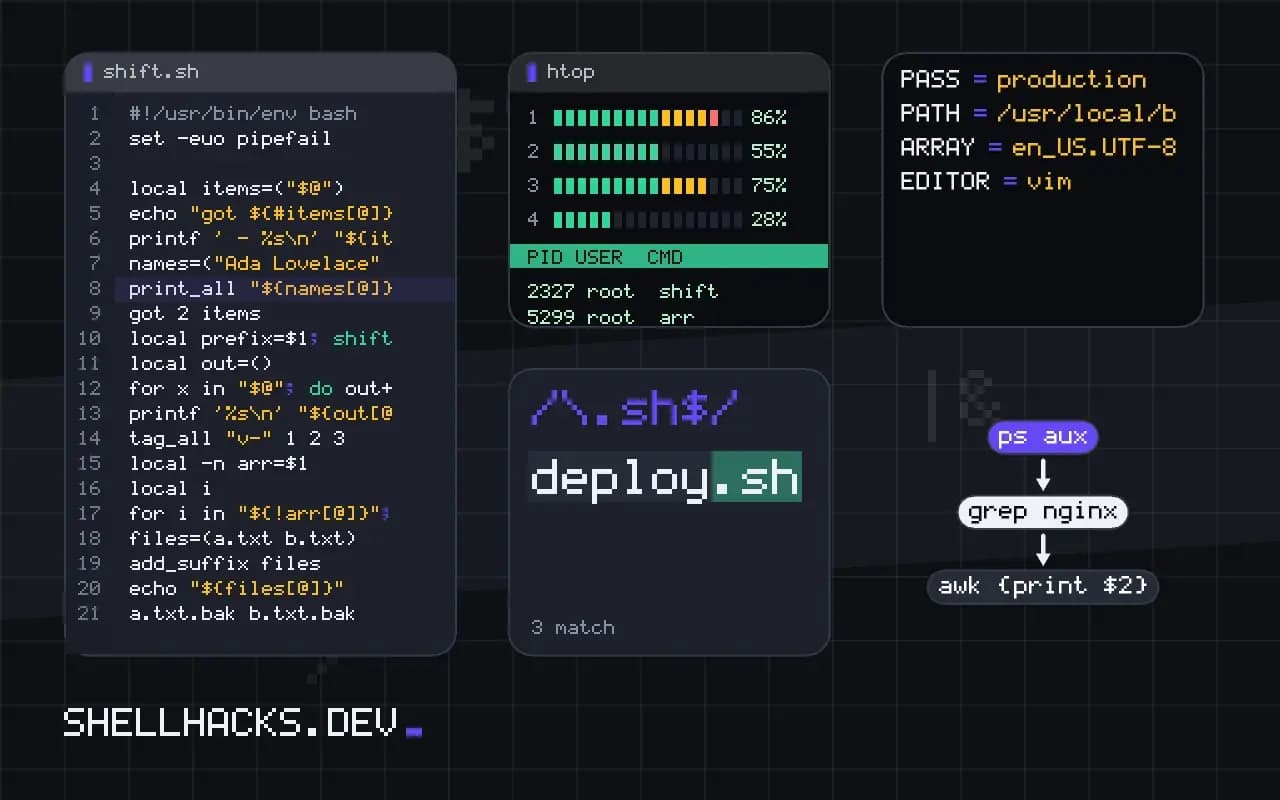
print_all() {
  local items=("$@")
  echo "got ${#items[@]} items"
  printf ' - %s\n' "${items[@]}"
}

names=("Ada Lovelace" "Alan Turing")
print_all "${names[@]}"got 2 items
- Ada Lovelace
- Alan Turing
The quotes keep each name as one argument. Inside, local items=("$@") turns the parameters back into an array. This works on every Bash version from 3 on, and the function gets a copy, so changes do not reach the caller.
Fixed arguments before the array
tag_all() {
  local prefix=$1; shift
  local out=()
  for x in "$@"; do out+=("$prefix$x"); done
  printf '%s\n' "${out[@]}"
}

tag_all "v-" 1 2 3v-1
v-2
v-3
Put the scalar arguments first and shift them away, so what remains in "$@" is the list. Putting the array first makes it impossible to know where it ends, unless you pass a count.
Pass by name with a nameref
add_suffix() {
  local -n arr=$1
  local i
  for i in "${!arr[@]}"; do arr[i]="${arr[i]}.bak"; done
}

files=(a.txt b.txt)
add_suffix files
echo "${files[@]}"a.txt.bak b.txt.bak
local -n makes arr an alias for the variable whose name is in $1. The function edits the caller's array in place without copying. Namerefs arrived in Bash 4.3, so this fails on macOS system Bash 3.2. Pick a nameref name that cannot collide with a variable in the caller; if the caller's array is also called arr, Bash reports a circular reference.
Global variable and output
A function can also fill a global array, or print one item per line for the caller to capture with mapfile -t out < <(func). The first is fast but hides the data flow, and the second costs a subshell but keeps the function pure. Returning data is the reverse problem, handled in returning an array from a function.
Why a plain variable does not work
A function call passes strings, so handing it an array variable passes only its first element, because an unsubscripted array name refers to element zero. The function receives one argument and the rest is lost, with no error. To pass all the elements, expand them into separate arguments with "${arr[@]}" and gather them inside with local items=("$@"). The quotes are essential: without them, elements containing spaces split into several arguments and elements with glob characters expand to file names. The function then owns a copy, and changes it makes to its local array do not reach the caller. That copy semantics is a feature when the function should not modify the original, and an obstacle when it should.
A subtle point is that the function cannot tell where the array ends if it also takes other arguments afterwards. The next section shows how to place fixed arguments to avoid this.
Mixing fixed arguments with an array
Put the scalar arguments first, shift them off, and treat the rest as the array. A function that takes a separator and a list might read local sep=$1; shift; local items=("$@"). If the array must come first, pass its length as an argument so the function knows how many positional parameters belong to it, then read the remainder as the second list. For several arrays, namerefs are cleaner. Passing counts is workable and error-prone, and a mismatch between the stated count and the real one gives wrong behaviour that is hard to see.
Document the calling convention in a comment above the function and add an assertion on the argument count. A one-line check at the top catches a caller that forgot a quote long before a mysterious result.
Passing by name
With Bash 4.3 or later, a nameref gives the function access to the caller's array: it receives the name and declares local -n ref=$1. Reads and writes through ref affect the original, so the function can modify the caller's data in place, with no copying of large arrays and no expansion limits. This also makes passing several arrays easy. The hazard is a name collision between the nameref and the caller's variable: if the function's local variable has the same name as the array passed in, the reference points at itself and Bash reports a circular reference. Choose unusual internal names, such as a leading underscore, for namerefs and locals in library functions.
Associative arrays are passed the same way. A function receiving one by name should declare its expectation in a comment, because the nameref itself does not carry the array's type.
Limits, performance and checks
Expanding a large array into arguments hits the system limit on argument length for external commands, but for a function call within the shell the limit is far higher, since no exec occurs. Still, copying tens of thousands of elements for each call is slow in a loop, and a nameref avoids it. Do not use eval to build array arguments; it opens the door to injection when elements come from outside, and it is rarely necessary since namerefs exist. Write a small test that passes an empty array, a one-element array, elements with spaces and an element that is an empty string, and checks the function sees each correctly. Run it under the oldest Bash you support, and use ShellCheck, which flags many missing quotes. The output of these checks is the evidence that the calling convention is sound.
A habit that avoids a lot of trouble is to choose one convention for the whole script. If the project uses namerefs, use them everywhere, and require the Bash version that supports them; if it passes elements as arguments, keep to that and do not mix. Mixed conventions make a reader check each call to see which applies. State the convention in the file header, with the minimum Bash version, and add a guard that exits with a clear message on an older shell.
Where this does not apply
Namerefs do not work in POSIX sh, and old Bash versions that predate 4.3 used eval, which is an injection risk if the name is untrusted; see avoiding eval. Associative arrays can be passed by name the same way but not expanded as positional arguments. For the language rules, read the Bash manual on functions and the shell parameters section.
A short rule of thumb decides between the two methods. If the function only reads the list, pass the elements and rebuild a local copy: the call site stays obvious and the code runs on older Bash. If the function must change the caller's array, or the list is large enough that copying matters, use the nameref. Whichever you pick, run shellcheck on the file; it flags the unquoted expansions that break the first method. Details of function scope are in variable scope in Bash.