How to Use rev and tac and Other Text Reversers Step by Step
Reverse characters with rev and lines with tac, plus last field extraction, reverse sort, and the portable alternatives for macOS where tac is missing.
Reversal is a small idea with several practical uses: reading a log newest first, taking the last field of a variable-length path, and checking for palindromes. Both commands appear in minimal Linux images and are cousins of head and tail. The examples assume util-linux 2.40 for rev and GNU coreutils 9.x for tac.
rev: characters in a line
echo "shellhacks" | rev
printf 'abc\ndef\n' | revskcahllehs
cba
fed
Every line is reversed independently. It handles multibyte characters correctly when the locale is UTF-8. It is not in POSIX, but it exists on Linux, macOS and the BSDs, so it is more portable than tac.
tac: lines in a file
printf 'one\ntwo\nthree\n' | tac
tac /var/log/app.log | head -5
tac -s ';' data.txtthree
two
one
tac prints the last line first. For a log file this puts the newest entries at the top, and combined with head it shows the latest few without waiting for tail. Use -s to change the separator and -b to attach it to the front. On a very large file tac reads backwards from the end for regular files, which is fast, but when fed from a pipe it must buffer everything, so avoid it on endless streams like tail -f.
Last field from a variable path
echo "/srv/app/releases/2026/archive.tar.gz" | rev | cut -d/ -f1 | rev
echo "archive.tar.gz" | rev | cut -d. -f1 | rev
echo "archive.tar.gz" | rev | cut -d. -f2- | revarchive.tar.gz
gz
archive.tar
cut counts fields from the left, so reversing turns "last field" into "first field". For a plain file name, basename and the parameter expansions ${f##*/} and ${f%.*} are faster and avoid three processes, as described in reducing process spawning. Use the reversal trick in a one-off pipeline where those are awkward, such as parsing the third field from the right.
No tac on macOS
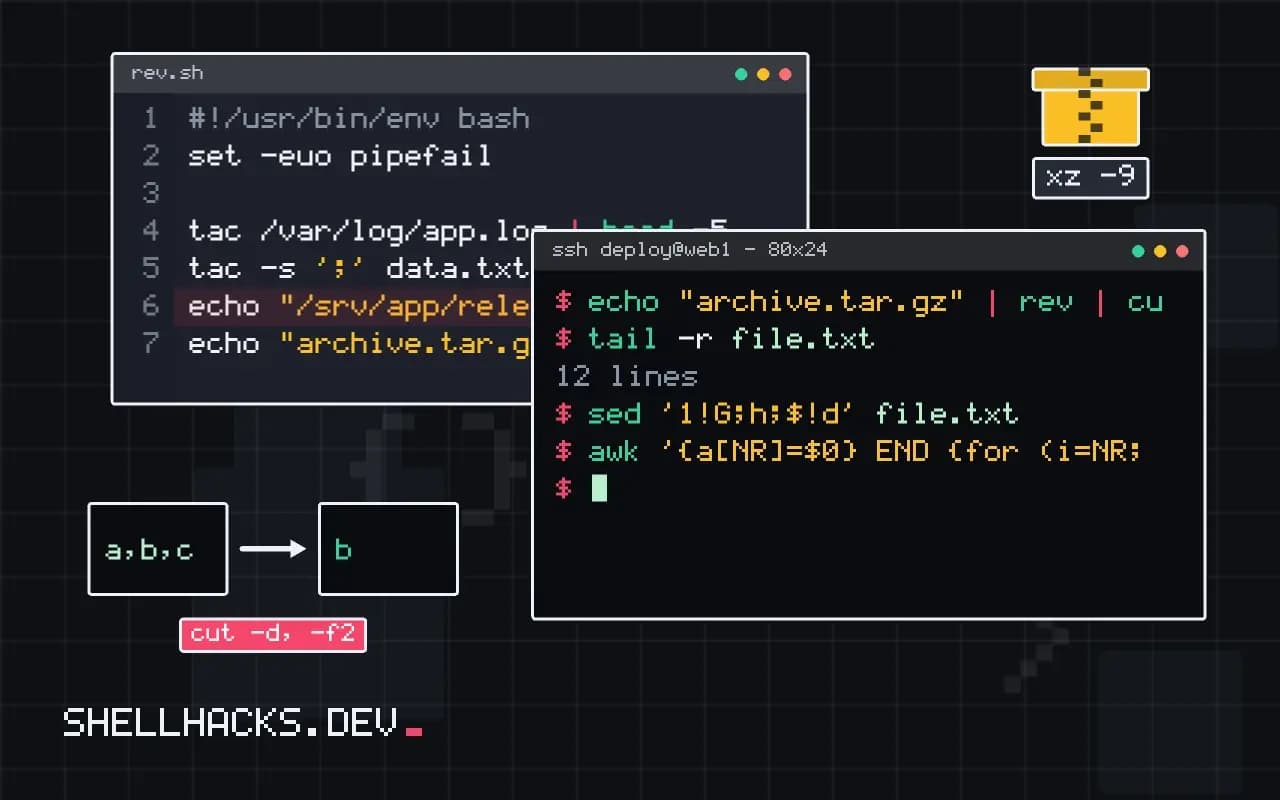
tail -r file.txt
sed '1!G;h;$!d' file.txt
awk '{a[NR]=$0} END {for (i=NR; i>0; i--) print a[i]}' file.txt
BSD tail -r reverses lines but is not in GNU tail. The sed one-liner works everywhere but is slow on large files. The awk version buffers the file in memory and is the clearest of the three. Homebrew's coreutils package adds gtac. For sorting in descending order you do not need reversal at all: sort -r and sort -rn do it directly; see sort and uniq.
Edge cases in rev
The rev command reverses each line character by character, and the word character is chosen with care: in a UTF-8 locale, GNU and BSD versions treat multibyte characters as units, so accented letters survive. In the C locale it works on bytes and turns a two-byte letter into two bytes in the wrong order, producing invalid text. Set LC_ALL to a UTF-8 locale when the input has non-ASCII text. Combining characters, such as an accent stored as a separate code point after its base letter, are reversed as separate characters, which moves the accent to the wrong side. Emoji built from several code points joined together fall apart for the same reason, so reversing is not safe for display text in general.
Since rev reads standard input or files, it works in pipelines: echo hello | rev prints the reversed word. It leaves line order alone and does nothing about words, so reversing a sentence's word order needs a different tool.
Using rev twice for a field from the end
The best-known trick uses rev as a pair. To take the last field of a delimiter-separated string with cut, which counts fields only from the start, reverse the line, cut the first field and reverse the result. A path such as /var/log/app/error.log is reduced to its last component this way, although basename and parameter expansion do it with no extra process. The pair becomes useful when you need "the second to last" field or everything except the last, which cut cannot express on its own. Awk handles the same with $NF and $(NF-1), and is clearer when the delimiter is a single character.
Be careful that the delimiter is reversed as well. A multi-character delimiter must be reversed too before it is used with cut, though cut accepts a single character only, which limits the technique further.
tac and where the last lines come from
The tac command prints a file with its lines in reverse order, the last line first. It reads the whole input into memory or a temporary file before output, unless it can seek in a regular file, so it is not suited to endless streams. Typical uses are finding the last match in a log with tac file | grep -m1 pattern, which stops reading as soon as it finds the newest entry, and reading a log from newest to oldest. For the last few lines, tail is faster and simpler, because it seeks to the end of the file.
When a file has no trailing newline, tac joins its last line to the one before it in the output unless the separator is handled, a quirk to check if the output looks wrong. The -s option sets a different separator for records.
Portable replacements
macOS has rev but not tac; there, tail -r reverses lines, and the Homebrew coreutils package installs GNU tac as gtac. For scripts that must run everywhere, the awk idiom awk '{a[NR]=$0} END {for (i=NR; i>0; i--) print a[i]}' works anywhere awk does, and so does sed -n '1!G;h;$p', which is slower and harder to read. Pick one in a helper function, test it on every platform you ship to, and write a comment saying why it exists. Reversal is a small operation, but the platform differences are the reason it appears in so many broken scripts, and a tested helper settles it once.
Finally, remember that reversal on its own is rarely the goal. The real task is usually parsing a path, an address or a version from the end of a string, and a purpose-built tool does it better: basename, dirname, parameter expansion with ${var##*/}, or awk with $NF. Reach for rev when a pipeline of standard tools is the shortest correct form, and for something else when the data has structure.
A good test of any such one-liner is a path or string with a trailing separator, an empty line and a line with only the delimiter. If it handles those, it is probably sound.
Where this does not apply
Reversal is wrong for text that includes combining characters or emoji sequences, because the unit is the code point and the result scrambles accents. Do not use rev on binary data. For reversing words rather than characters, split into fields with awk. The rev manual page and the GNU tac manual list the options.