What Is the Unix Way of Designing Small Tools Step by Step
What the Unix way of designing small tools means in practice: one job, text streams, composable output, clear errors and where the idea stops helping.
The phrase "do one thing well" gets quoted and rarely unpacked. In practice, it describes a set of habits that make a program a good citizen of a shell: it fits into a pipeline that nobody planned when writing it. These habits are why grep, sort and cut from fifty years ago still combine to solve problems their authors never imagined. This post turns the philosophy into concrete rules you can apply to the next tool you write, and says where it does not fit. It supports designing a command line interface and composable scripts.
One job, stated in a sentence
A tool that does one job can be described in one sentence without "and": wc counts lines, words and bytes; sort orders lines; uniq collapses adjacent duplicates. When you need to describe your script with an "and also", it is two tools. That is not purity for its own sake. A narrow tool has a small interface, so it is easy to learn, to test and to keep stable, and other people can combine it in ways the author did not foresee. The test is whether you can use the pieces separately.
Streams in, streams out
#!/usr/bin/env bash
# usage: count-status [FILE...]   reads stdin if no file is given
set -euo pipefail
awk '{ n[$9]++ } END { for (s in n) print s, n[s] }' "${@:--}" | sort -k2,2nrcount-status access.log
zcat access.log.*.gz | count-status
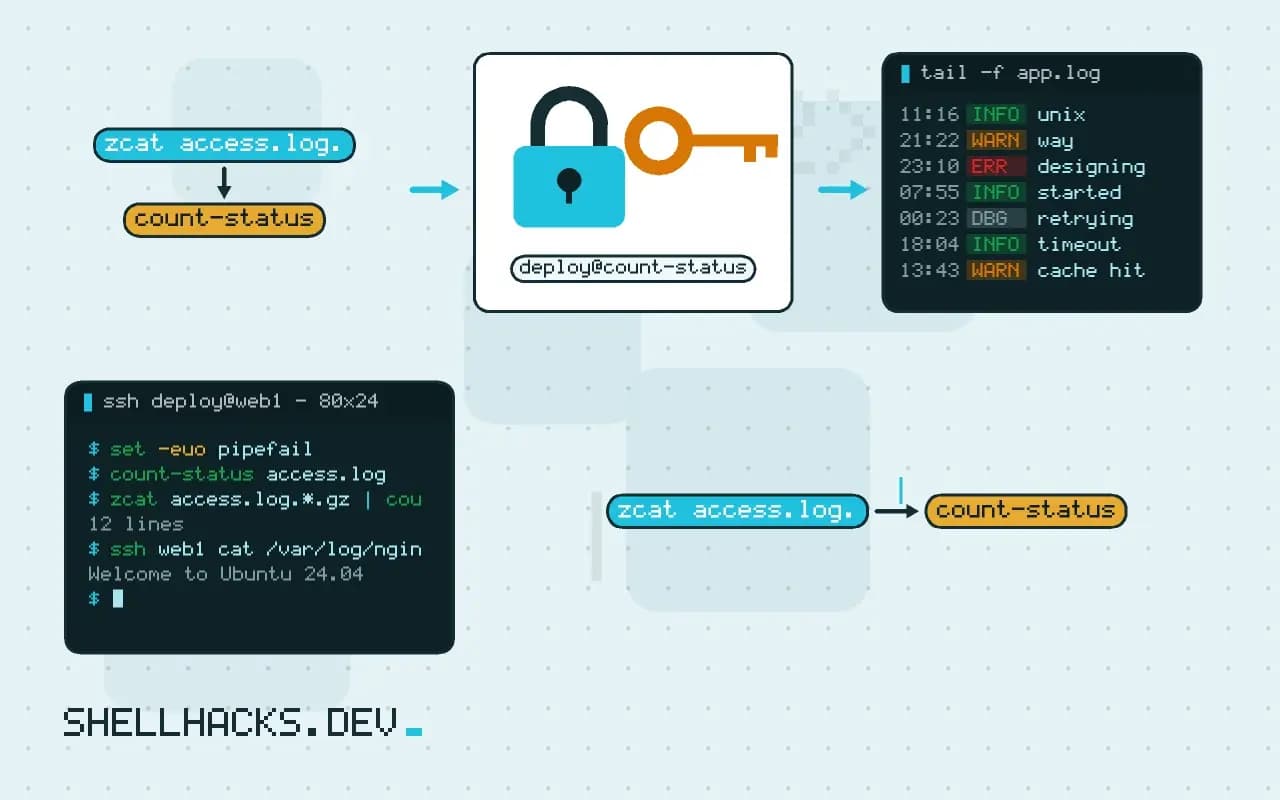
ssh web1 cat /var/log/nginx/access.log | count-status | head -n 3The tool takes files as arguments, or standard input when there are none ("${@:--}" expands to the arguments or a single -, which awk reads as stdin). That one convention lets it work on a local file, a compressed archive and a remote stream without change. The output is a list of lines, one record each, with fields separated by a space, which the next stage can sort, filter or format. Interactive prompts, banners and colors in the output break all of that; if you want them, print them only when the output is a terminal ([ -t 1 ]).
Separate results from messages
warn() { printf '%s: %s\n' "${0##*/}" "$*" >&2; }
[ -r "$f" ] || { warn "cannot read $f"; exit 2; }
printf '%s\t%s\n' "$name" "$count"
Data goes to stdout and everything meant for the human goes to stderr, so a pipeline carries data and the terminal shows problems. Mixing them means the next tool parses an error message as a record. The exit status completes the contract: 0 for success, non-zero for failure, and a different code for usage errors than for "no match found", as grep does; see designing exit codes. Silence on success is part of the manners: a tool that prints "done!" has made its output harder to use.
Text, with a stable shape
Plain text is the common format every tool can read. Make it parseable: one record per line, fields in a fixed order, a documented separator (tabs are usually better than spaces for data with spaces in it), and a machine-readable mode when the default is for people: --json or -0 for NUL-terminated output. Changing the output format of a published tool breaks the scripts that depend on it, so treat it as an interface and version it.
Composition over configuration
Resist adding an option for every variation. Instead of --sort-by-count and --top 10, print the data and let sort and head do those jobs. Each option you add is one more behavior to document and test. The Unix answer to "can it also do X?" is often "pipe it to something that does X". That keeps each tool small, and it keeps the combination in the user's hands.
Where this does not apply
The philosophy has costs. Pipelines of text tools parse and reformat repeatedly, and structured data (nested JSON, binary formats) fits badly in lines; for those, one tool with a richer interface (jq) is better than a chain of sed calls. Tasks that need shared state, transactions or concurrency control are not pipelines; a database or a service is the right shape, as discussed in script, library or service. And many tiny tools mean many processes: for a hot loop, a single program is faster. Use the philosophy as a default, and leave it when the problem asks.
Where the philosophy came from and why it still pays
The Unix approach grew from a practical constraint: the first systems had little memory and many small programs, and the authors found that tools which each did one thing and exchanged plain text could be combined into solutions nobody had planned. Doug McIlroy's summary, write programs that do one thing well, write programs to work together, and write programs to handle text streams because that is a universal interface, is still good design advice for anything that runs from a command line. The payoff is reuse. A tool that reads lines and writes lines can be placed in a pipeline with tools written decades earlier, and each tool stays small enough to understand, test and replace. A tool that tries to do everything, with its own file formats and its own interactive mode, can only be used the way its author imagined. When you design a script, ask which other commands someone could connect to it, and whether your interface makes that easy or impossible.
The philosophy is a trade-off and not a law. It values composability and simplicity over features and polish, and it works best for tools that transform data. A program with a large internal state, such as a database or an editor, does not decompose into filters, and is better as a single program with a clear interface.
Practical rules for a script that composes well
A handful of habits make a script a good citizen. Read from standard input when no file name is given, and accept - as a name for it, so the script works at the end of a pipe and on a file. Write results to standard output and nothing else, and send progress, warnings and errors to standard error, so a pipeline can carry the data while a person still sees the messages. Return a meaningful exit status, 0 for success and a nonzero value for failure, with distinct values for usage errors, so callers can branch. Do not ask questions unless standard input is a terminal, which a script can test with [ -t 0 ], and provide a flag to skip confirmations. Handle a closed pipe quietly: when the reader exits early, as head does, the next write receives SIGPIPE, and a script that prints an error message about it is noisy for no reason. Support a null-separated mode for lists of names, since newlines can appear in file names. Document the format of your output, because other scripts will depend on it.
Keep the output stable. Once other programs parse it, a changed column order or a new header line is a breaking change, so version it or add a flag for the new format and leave the default alone.
Text as the interface, and its limits
Plain text has a cost. Every program in a pipeline parses and formats, and the format is a convention, not a contract the system enforces, so a change on one side can silently break the other. Fields separated by spaces break when a value contains a space. Free-form messages change wording between versions. For data with structure, nested records, optional fields and types, line-oriented text is a poor fit, and a format that carries structure, such as JSON with jq or tab-separated values with a fixed header, is more dependable. Many modern tools offer a machine-readable output flag for exactly this reason. Choose the representation by how the data will be used. For a list of names, lines. For records with a few simple fields, tab-separated columns. For anything nested, JSON lines, which keep the streaming property, one object per line. Whatever you choose, state it, test it, and keep it stable, which is what makes composition safe over time and not only convenient today.
Composition also has a performance side. A pipeline of many small processes pays for process creation and for copying data between them, which is negligible for ordinary work and significant in tight loops, where one program doing the whole job is faster.
See Kernighan and Pike's book The UNIX Programming Environment for the origin, and the Command Line Interface Guidelines for current practice; POSIX utility conventions define the exit and stream rules.