How to Use the AWS CLI From Shell Scripts With Examples
Use the AWS CLI in shell scripts: profiles, --query with JMESPath, --output text, pagination, waiters, error handling and avoiding hardcoded keys.
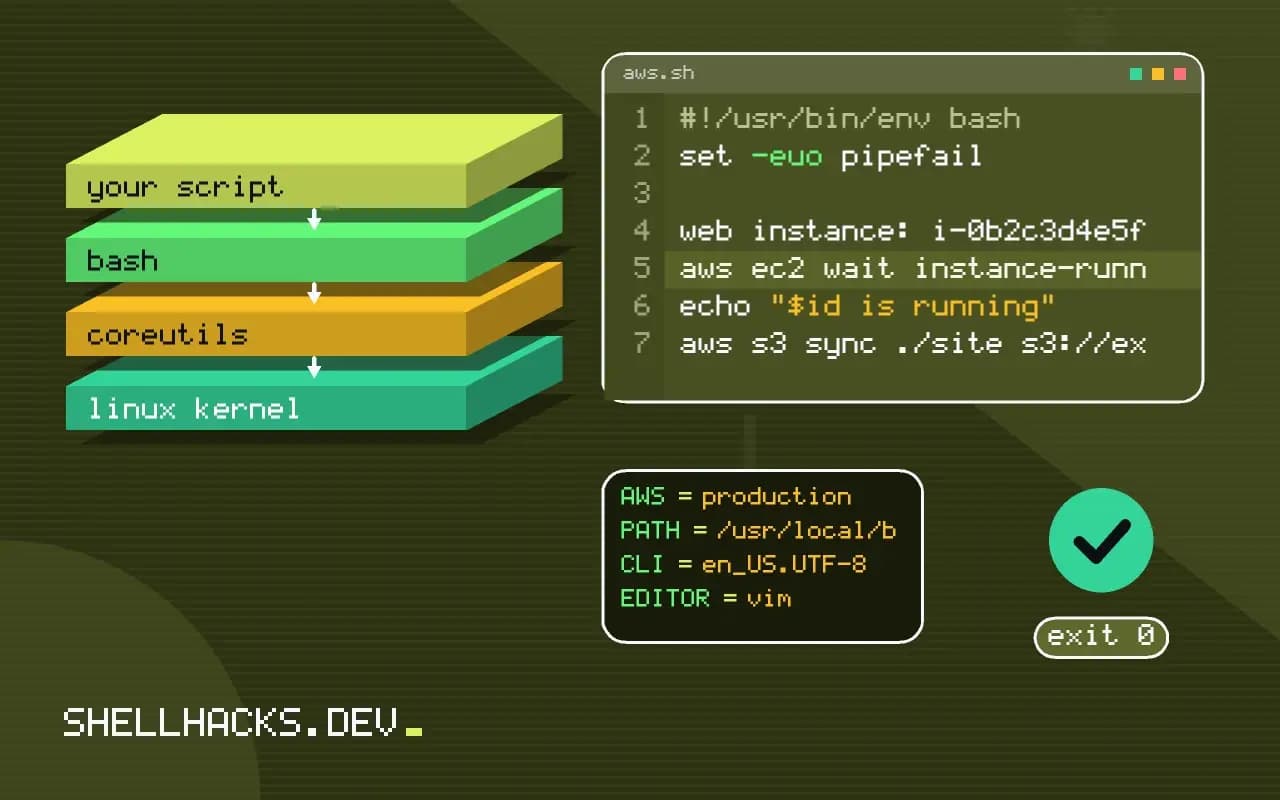
The AWS CLI turns every API call into a command, and the interesting part is making its output useful to a script. Defaults print tables for humans, and scripts need exact values. The patterns here are the ones that survive being run unattended, building on scripting kubectl and jq for API responses. The examples assume AWS CLI v2.
Know where you are
export AWS_PROFILE=staging
export AWS_PAGER=""
aws sts get-caller-identity --query 'Account' --output text123456789012
Run this at the start of destructive scripts and compare the account to an expected value, so a stale profile cannot delete production. AWS_PAGER="" disables the pager in v2, which otherwise blocks scripts waiting for a keypress. Authenticate with SSO (aws sso login) or a role, not static keys.
Extract values with --query
ids=$(aws ec2 describe-instances \
  --filters Name=tag:Role,Values=web Name=instance-state-name,Values=running \
  --query 'Reservations[].Instances[].InstanceId' --output text)
for id in $ids; do echo "web instance: $id"; done

aws ec2 describe-instances --query \
  'Reservations[].Instances[].{id:InstanceId,ip:PrivateIpAddress,name:Tags[?Key==`Name`]|[0].Value}' \
--output tableweb instance: i-0a1b2c3d4e5f67890
web instance: i-0b2c3d4e5f6a78901
The query language is JMESPath, evaluated by the CLI before printing, so there is no jq dependency. --output text gives tab-separated values: fine for IDs, risky for fields with spaces. For anything complex, ask for JSON and parse with jq. Use server-side --filters where possible, since client-side --query filtering still downloads everything.
Wait instead of sleeping
id=$(aws ec2 run-instances --image-id "$AMI" --instance-type t3.micro \
  --query 'Instances[0].InstanceId' --output text)
aws ec2 wait instance-running --instance-ids "$id"
echo "$id is running"
Waiters poll the right API with sensible limits and fail with a non-zero status on timeout. They exist for many services: s3api wait bucket-exists, cloudformation wait stack-create-complete. List them with aws ec2 wait help. A sleep 60 is either too long or too short.
S3 and pagination
aws s3 sync ./site s3://example-test-bucket/site --delete --dryrun
aws s3 sync ./site s3://example-test-bucket/site --delete
aws s3api list-objects-v2 --bucket example-test-bucket --prefix logs/ \
  --query 'Contents[?LastModified<`2026-10-01`].Key' --output text
Use --dryrun before a sync with --delete, the same discipline as the dry run mode. The CLI pages through results automatically for most list commands; control it with --max-items and --page-size. A query applied after pagination sees all pages.
Errors and retries
set -euo pipefail
if ! out=$(aws s3api head-object --bucket b --key k 2>&1); then
  case $out in
    *"Not Found"*|*404*) echo "object missing" ;;
    *) echo "unexpected: $out" >&2; exit 1 ;;
  esac
fi
The CLI retries throttled calls itself (set AWS_RETRY_MODE=standard and AWS_MAX_ATTEMPTS). Distinguish "not found" from a real failure by reading the error text or the error code, and exit loudly on the second. Keep keys out of scripts and repositories: see keeping API keys out of scripts.
Credentials and regions in automation
Scripts need to know who they run as and where. The AWS CLI resolves credentials in a fixed order: command line options, environment variables, the shared credentials and config files, and finally instance or task roles from the metadata service. This order means a stray AWS_ACCESS_KEY_ID in a CI environment silently overrides the role you intended. Print the identity at the start of every script with aws sts get-caller-identity, and fail if the account id is not the expected one. That one call prevents running a destructive script against the wrong account.
Set the region explicitly with --region or AWS_REGION. A missing region produces an error in some commands and a silent default in others, and resources in the wrong region look like resources that do not exist. Use named profiles on a laptop, and roles with short-lived credentials in CI, assumed through the provider's federation rather than long-lived keys stored as secrets.
Output control and the pager
Since version 2 the CLI pipes output through a pager when the output is long and the terminal is interactive, which can hang a script run by hand. Set AWS_PAGER="" or pass --no-cli-pager in scripts. For format, --output json is stable, text is tab-separated and easy for shells but depends on field order, and table is for people. A --query JMESPath expression runs on the client after the response arrives, so it saves printing, not bandwidth.
Server-side filtering is a different option and exists only for some calls, such as --filters on describe-instances. Use it when listing large inventories, because the service does the filtering and returns less. Combining server-side filters with a client-side --query that picks fields gives the smallest transfer and the cleanest output.
Waiters, retries and rate limits
Instead of a fixed sleep, use the built-in waiters, such as aws ec2 wait instance-running. They poll at a sensible interval and exit non-zero on timeout, which matches how a script should behave. The CLI also retries throttled calls automatically; the mode and attempt count are controlled by AWS_RETRY_MODE and AWS_MAX_ATTEMPTS, and setting the mode to adaptive or standard handles most rate limit errors without custom code. A script that loops over hundreds of resources and calls the API in each iteration deserves a short pause or a batch API, since throttling errors hide real failures in the noise.
Exit codes are informative. A status of 255 indicates a general CLI error, 252 a bad command, 253 a configuration problem and 254 an error from the service itself. Reading them separates a mistake in the script from a refusal by the service.
Making scripts safe to rerun
Check before creating. aws s3api head-bucket and the describe family tell you whether a resource exists, and the answer should drive the next step. Use tags to mark resources a script created, so a cleanup step deletes only what it owns, with a filter on the tag. For destructive operations, add a dry run: many EC2 calls accept --dry-run, which checks permissions and parameters and returns an error saying the call would have succeeded. Where no dry run exists, print the planned changes and require a flag to proceed. Keep infrastructure that is long-lived in a declarative tool and use the CLI for glue, queries and one-off operations.
Keep a short list of habits that pay off in every script: print the account and region first, request JSON output, disable the pager, use waiters instead of sleep, and check for existence before creating. Together they remove most of the surprises that make cloud scripts fragile. Review the script's IAM policy against its actual calls once, and trim permissions that were added while debugging, since a role that can do everything defeats the point of automating with a least-privilege identity.
When a script becomes large, move the logic to an SDK in a language with tests. The CLI is excellent for glue, but a program of several hundred lines that parses JSON and handles errors by string matching is a sign that a real language would be clearer.
Where this does not apply
For anything beyond a handful of calls with branching, use an SDK such as boto3 or the Go SDK, where errors are typed. Infrastructure that should exist permanently belongs in Terraform or CloudFormation, not a script that creates it ad hoc, as in Terraform basics. See the AWS CLI filtering guide and the JMESPath specification.