How to Use Pandoc and Marked for Man Pages the Safe Way
Generate a man page from Markdown with pandoc: the title block, sections, options lists, the build command, installing and checking the output.
Roff is a good format for the terminal and a poor one to write in. Most people write documentation in Markdown, and pandoc turns it into a proper man page. That also gives you the README and the manual from one source. The hand-written alternative is in building a man page for your script. The examples assume pandoc 3.5 and man-db 2.12.
The Markdown source
% BACKUP(1) | User Commands
% Example Team
% November 2026

# NAME

backup - archive a directory with a timestamp

# SYNOPSIS

**backup** [**-n**] [**-k** *COUNT*] *SOURCE* *DEST*

# DESCRIPTION

**backup** creates a compressed archive of *SOURCE* in *DEST* and removes the oldest archives beyond the retention count.

# OPTIONS

**-n**, **\--dry-run**
:   Print what would be done and change nothing.

**-k**, **\--keep** *COUNT*
:   Keep the newest COUNT archives. The default is 7.

# EXIT STATUS

0
:   Success.

1
:   An error occurred.

2
:   Invalid usage.

# EXAMPLES

    backup /srv/data /var/backups
    backup -k 14 /srv/data /var/backups

# SEE ALSO

**tar**(1), **rsync**(1)
The three lines at the top are the title block: the first holds the page name, section and footer, the second the author and the third the date. Headings in capitals become sections, and bold and italic become the roff font changes. A definition list (a term, then a line starting with a colon) renders as the tagged paragraphs used for options. The indented block under EXAMPLES becomes a preformatted example. Escape leading dashes in long options as \-- so Markdown does not turn them into an en dash.
Build and check
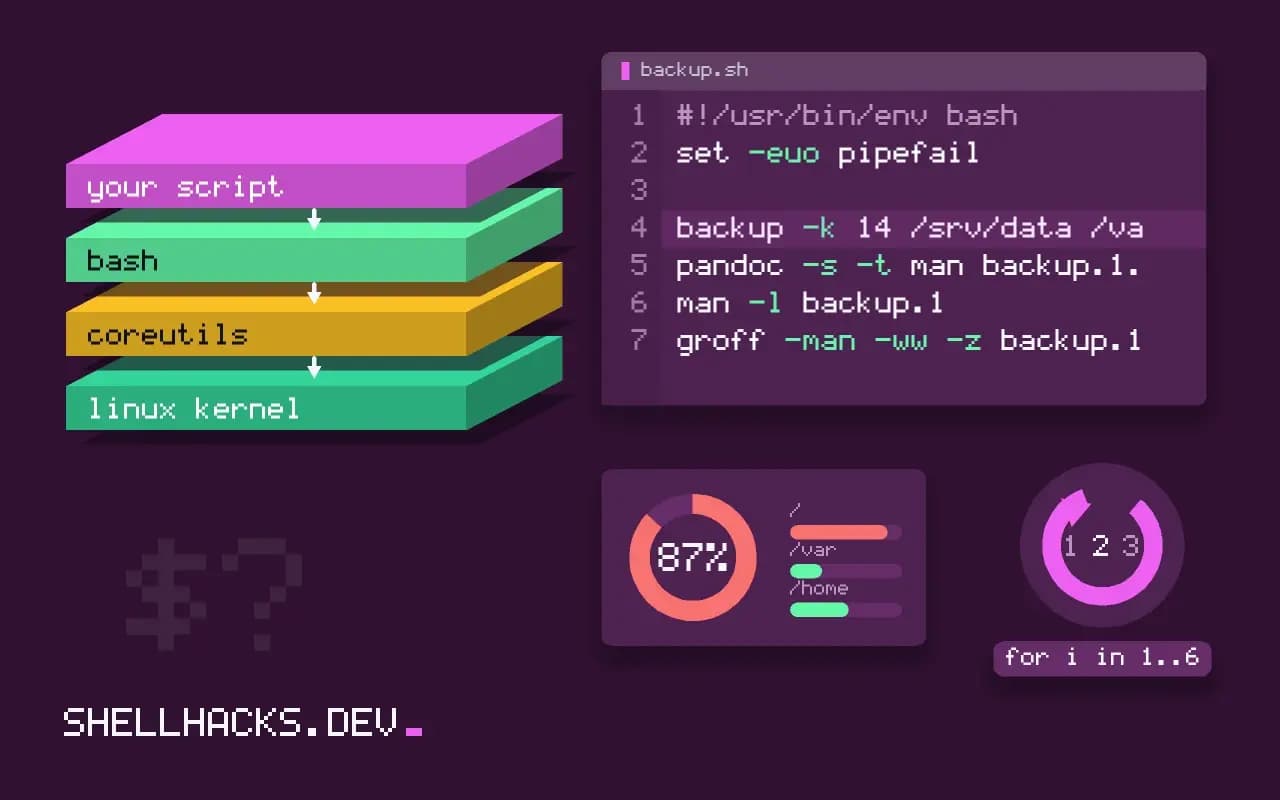
pandoc -s -t man backup.1.md -o backup.1
man -l backup.1
groff -man -ww -z backup.1
man -l backup.1 | col -bx | grep -n -- '--dry-run'BACKUP(1) User Commands BACKUP(1)
NAME
backup - archive a directory with a timestamp
SYNOPSIS
backup [-n] [-k COUNT] SOURCE DEST
Open the page and read it as a user would. Common problems are options rendered with typographic dashes, code lines wrapped, and a missing NAME section (which breaks apropos). The groff warnings flag broken roff. Keep the generated file in the repository or generate it in the release build; both are valid, but never edit the roff output by hand, because the next build overwrites it.
Wire it into the build
PREFIX ?= /usr/local

man/backup.1: man/backup.1.md
	pandoc -s -t man $< -o $@

install: man/backup.1
	install -D -m 0755 backup $(DESTDIR)$(PREFIX)/bin/backup
	install -D -m 0644 man/backup.1 $(DESTDIR)$(PREFIX)/share/man/man1/backup.1
A Makefile rule rebuilds the page when the Markdown changes, and DESTDIR lets packagers stage the install. The recipe lines begin with a tab character, and the snippet is plain text. See make basics for shell projects and publishing a shell tool for packaging it.
Other converters
go-md2man -in backup.1.md -out backup.1
ronn --roff backup.1.ronn
help2man --no-info --name="archive a directory" ./backup -o backup.1
go-md2man is used by many container tools and uses a similar Markdown with its own title convention. ronn (Ruby) was the classic and is less maintained. help2man builds a page from a program's --help and --version output, convenient when the help follows GNU conventions and you do not want a second source. Pick one and keep it; mixing conventions confuses contributors.
Keep the README in step
The same Markdown can be the README with a different title block: strip the first three lines with tail -n +4 to publish it as a web page, or maintain one file for the manual and have the README link to it. Check links and examples whenever you release. A test in CI that builds the page and runs groff -ww prevents a broken file from shipping, in the style of ShellCheck in CI.
What a man page is expected to contain
People open a manual page to answer one of three questions: what does this command do, which option a task needs, and how to run it for a common job. The conventional sections map to those questions. NAME holds one line, which apropos indexes, so make it a precise description rather than the command repeated. SYNOPSIS shows the shapes of a valid command, with optional parts in brackets and repeatable parts followed by dots. DESCRIPTION explains behaviour, OPTIONS lists each flag with its argument and effect, and EXAMPLES shows real invocations with the outcome. EXIT STATUS, ENVIRONMENT, FILES and SEE ALSO complete a page for a tool that others will depend on.
Write the OPTIONS section from the code rather than from memory. A flag documented but not implemented, or the reverse, is a bug report waiting to arrive. A test that extracts the flags from the argument parser and the flags from the page and compares them keeps the two in step cheaply, and fails a build when someone adds an option without documenting it.
Conventions that make the page feel right
Man pages follow typographic habits that users expect. Command and option names appear in bold, arguments in italics, which pandoc produces from Markdown bold and emphasis. Section numbers mean something: 1 for user commands, 5 for file formats, 8 for administration commands. Use the one that fits so the page appears where people look. In the SEE ALSO section, list related pages with their section numbers, such as rsync(1), which also lets reading tools make them links.
Keep lines to a reasonable length in the source but let the renderer wrap, because the reader's terminal sets the width. Avoid tables wider than eighty columns and avoid pictures. Examples should be copyable: give the command exactly, then the output in a separate block, and use realistic names and values instead of foo and bar. If an example depends on a prior step, say so in the text before it.
Versioning and distribution
A page ships with a version of the tool, and it should say which. Put the version in the footer field of the title block, and generate it during the build from the same variable that the tool prints with --version, so they cannot disagree. Packaging systems expect the compressed page in the right directory: Debian packages place gzipped pages under /usr/share/man/man1, and a build that installs an uncompressed file works but gets flagged by the package linter. Let the install rule do the compression.
For a tool distributed as a script rather than a package, offer the page through a flag. A --man option that renders the embedded text through man -l lets users read the documentation without installing it into the system path. Alternatively, publish the page on the project site as HTML, generated from the same source, so people can find it with a search engine before they install the tool.
Keeping the documentation alive
Documentation rots when updating it is a separate chore. Make it part of the change: a pull request that adds a flag must touch the page, and review checks it. Put an example in the page for every behaviour that has caused a support question, since those are the cases users search for. When a flag is deprecated, keep it in the page with a note and the release in which it will be removed, rather than deleting it silently. A page that is accurate and short is read; one that is long and wrong teaches readers to stop looking.
Where this does not apply
For one-off tools, a README is enough. Pandoc is a large dependency to ask contributors to install; commit the generated page if that is a problem. Complex tables and images do not survive roff; keep man pages textual. See the pandoc manual on man pages and the go-md2man project.