What Are setuid setgid and the Sticky Bit on Linux
Learn what setuid, setgid and the sticky bit do on Linux, how to read them in ls output, set them with chmod, and why stray setuid files are a risk.
Three extra permission bits sit in front of the usual nine, and they explain why a normal user can change their own password in a root-owned file, why shared project directories keep one group, and why nobody can delete another user's file in /tmp. They are set with chmod, described in the chmod guide, and the commands below are from GNU coreutils 9.4 on Linux.
Setuid on a program
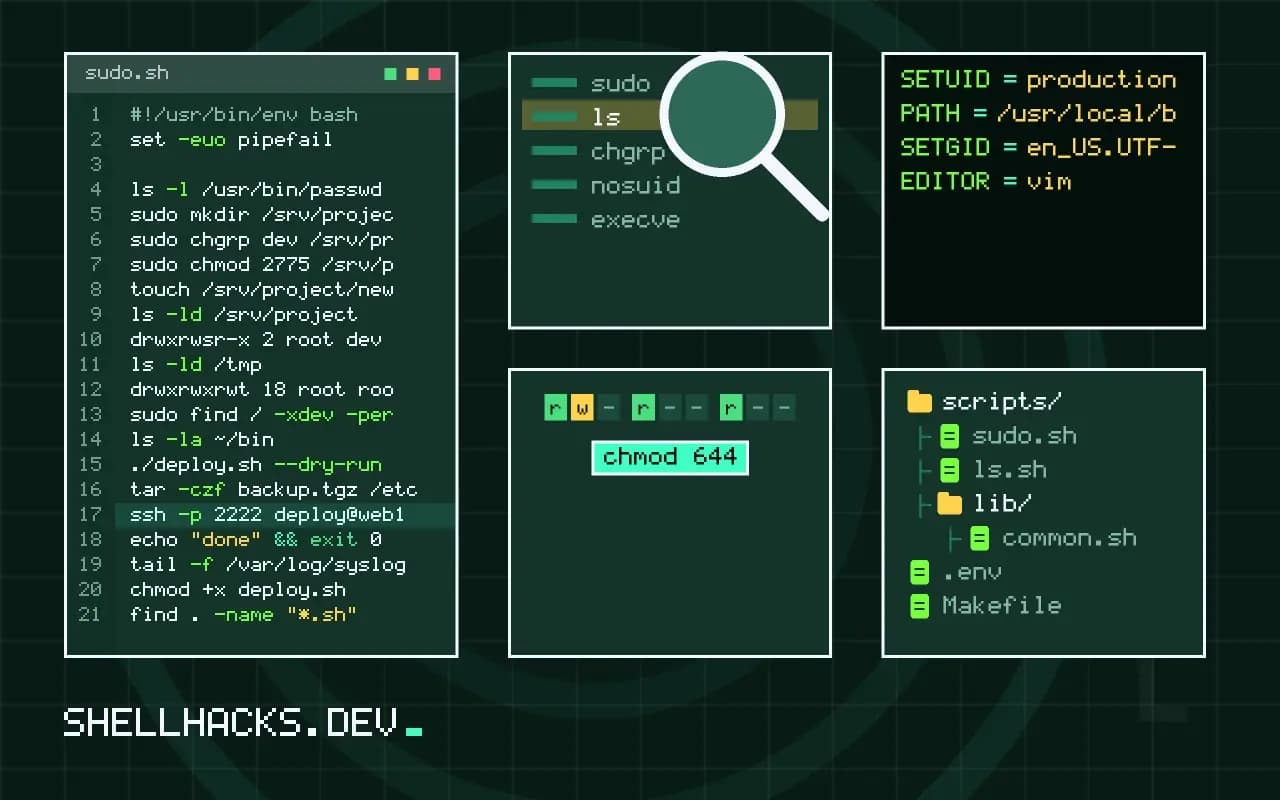
ls -l /usr/bin/passwd-rwsr-xr-x 1 root root 59976 Feb 6 2024 /usr/bin/passwd
The s where the owner's execute bit would be means setuid. When anyone runs passwd, the process starts with root as its effective user, so it can write /etc/shadow, which the caller cannot. That is the entire design: a small, audited program with raised rights acting on behalf of a user. Set it with chmod u+s file or chmod 4755 file.
Setgid on a directory
sudo mkdir /srv/project
sudo chgrp dev /srv/project
sudo chmod 2775 /srv/project
touch /srv/project/new.txt
ls -ld /srv/projectdrwxrwsr-x 2 root dev 4096 Nov 3 09:20 /srv/project
With setgid on a directory, new files and subdirectories belong to the directory's group, not the creator's primary group, and subdirectories inherit the bit. This keeps a shared folder usable by a team without manual chgrp calls. On an executable, setgid runs the program with the file's group, in the same way setuid uses the owner. Group setup is in managing groups on Linux.
The sticky bit on a shared directory
ls -ld /tmpdrwxrwxrwt 18 root root 4096 Nov 3 09:21 /tmp
The trailing t means everyone can create files in /tmp, but only a file's owner, the directory's owner or root can delete or rename it. Without the bit, write access on a directory would let anyone remove anyone else's files. Set it with chmod +t dir or 1777.
Uppercase S and T
An uppercase S or T means the special bit is set but the matching execute bit is not. For setuid that combination does nothing useful, and for a directory sticky bit it means others cannot enter the directory. It is usually a sign of a mode set by number without thinking.
Audit and risks
sudo find / -xdev -perm -4000 -type f 2>/dev/nullThis lists setuid files on the root filesystem; compare the list against what you expect, because an unexpected setuid binary, especially one that runs user-controlled commands, is a privilege-escalation path. Linux ignores the setuid bit on interpreted scripts because of a race between the kernel starting the interpreter and the interpreter opening the script, so use sudo with a narrow rule instead, as in allowing one command with sudo. Mounting data filesystems with nosuid disables the bit entirely. The semantics are defined in the inode(7) manual page and the GNU coreutils note on directory setgid.
How the kernel treats the special bits
The three bits are stored in the same mode word as the permission bits, and each changes one rule in the kernel's access logic. For setuid on an executable, the kernel sets the new process's effective user id to the file's owner when it runs execve, while the real user id stays the caller's. A program can tell the two apart and drop privilege when it no longer needs it, which well-written setuid programs do as early as possible. Setgid on an executable does the same for the group. Neither bit has any effect on shell scripts on Linux: the kernel ignores setuid on files that start with a shebang, because a race between the kernel reading the interpreter line and the interpreter opening the script made it unsafe. A request to "make this script run as root" is therefore met with a small compiled wrapper, a sudo rule, or a service, and not with chmod u+s.
Several mount and runtime options can disable the bits. A filesystem mounted with nosuid ignores setuid and setgid on its executables, which is why /tmp, /home and removable media are often mounted that way. Containers and sandboxes commonly set the no_new_privs flag, after which execve never grants extra privilege, so a setuid binary inside such a container runs as the calling user. If sudo or ping fails with a confusing error inside a container, that flag is the usual reason.
File capabilities as a narrower tool
Running a whole program as root to let it do one privileged thing is more than it needs. Linux splits root's powers into capabilities, and a file can carry only the ones it needs. setcap cap_net_bind_service=+ep /usr/local/bin/myserver lets a program listen on ports below 1024 without being root, and getcap -r /usr/bin 2>/dev/null lists files that have capabilities. Modern distributions use them in place of setuid for programs like ping. They are stored in an extended attribute, which means that copying the file without that attribute silently drops the capability, and it means that tar needs --xattrs to preserve it. Review capability files in the same audit as setuid ones.
Setgid directories in practice
The shared directory recipe works only when the other pieces line up. Members need a umask that allows group write, typically 002, or files they create are readable but not writable by the rest of the group. The directory's group must be the shared one, and the bit must be on every subdirectory, which it is for directories created afterwards but not for existing ones. Apply it to a tree with find /srv/project -type d -exec chmod g+s {} +. Archives and copies that preserve the source group, such as cp -p or rsync -a, override the inheritance, so files arriving that way may need chgrp afterwards. Default ACLs achieve the same goal more precisely, since they set both group and permission bits for new files.
Reviewing and reducing the exposure
Establish a baseline: record the output of the setuid and setgid search on a fresh installation, and compare it with a production host. Anything extra is a question. Remove the bit from programs you do not need with chmod u-s, or remove the package, because a rarely used setuid helper with a vulnerability is a direct route from a local account to root. Package managers can restore the bit on upgrade, so enforce the decision with a configuration tool, or on Debian family systems with dpkg-statoverride, which records a different mode that survives upgrades. Mount data volumes with nosuid,nodev by default and add exceptions only where a reason is written down.
Teaching the rule of least privilege
Whenever a task seems to call for a setuid bit, ask whether a narrower tool exists. A sudo rule that allows one exact command for one group, a capability on a single binary, a systemd service running as a dedicated user, or a socket the unprivileged program can talk to all grant less than a program that runs as root for every caller. Write down why the bit is needed if it is still chosen, and who reviews it.