How to Stop Tracking a File Already in Git the Right Way
Stop tracking a file Git already knows with git rm --cached, keep it on disk, add it to gitignore, warn teammates, and know what history still holds.
You add a rule to .gitignore, and Git keeps showing the file as modified. That is by design: ignore rules apply only to files Git is not already tracking. To make Git forget a file without deleting it, you remove it from the index. The steps below use Git 2.45; writing the ignore patterns themselves is in the gitignore guide.
The standard fix
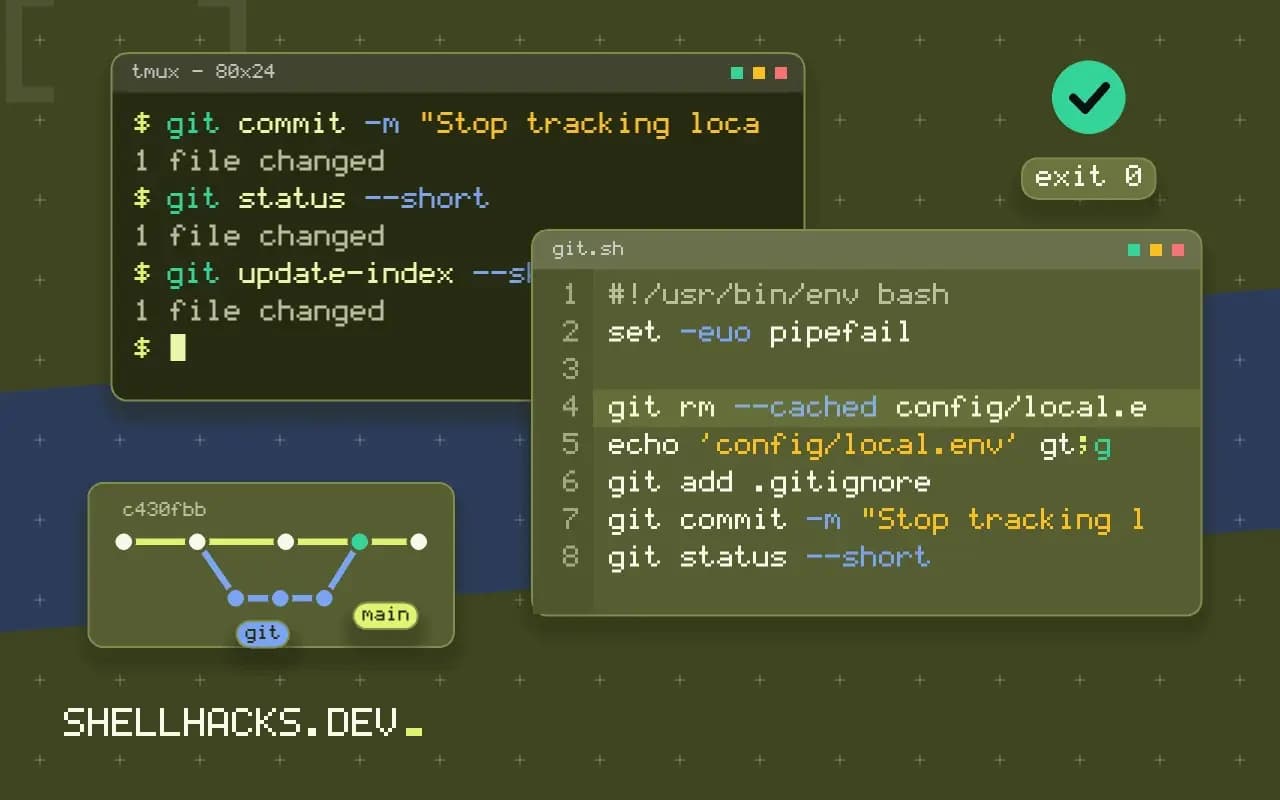
git rm --cached config/local.env
echo 'config/local.env' >> .gitignore
git add .gitignore
git commit -m "Stop tracking local env file"
git status --shortD config/local.env
M .gitignore
Before the commit the D shows that the index entry is staged for deletion, while the file itself is still on disk. After the commit, git status is clean and the ignore rule now applies. For a directory, use git rm -r --cached build/. Never run it without --cached unless you want the file deleted from the working tree too.
What teammates see
When someone pulls this commit, Git removes the file from their working tree, because it follows the deletion. That surprises people who have a local copy with their own settings. Warn them, or have them copy the file first and restore it after the pull. For a config file the clean fix is to commit an example, such as config/local.env.example, and ignore the real one, and documenting that in the README.
Local-only hiding
git update-index --skip-worktree config/local.env
git update-index --no-skip-worktree config/local.env
git ls-files -v | grep '^S'
skip-worktree tells Git to pretend the file has not changed, which is useful for a tracked config file that each developer edits locally. It is per clone and Git may clear it during some operations, such as a merge that touches the file. assume-unchanged is a performance hint that makes the same promise less strictly, and it is not designed for this. Neither stops the file from being committed if it changes upstream, and neither is a substitute for removing it from the index.
The history still has it
rm --cached removes the file going forward and leaves it in every earlier commit. If the file contained a password, token or key, treat the secret as exposed: rotate it first, then rewrite history if you must, using the steps in removing a secret from Git history. If the problem is only a large file, a history rewrite with git filter-repo shrinks the repository.
Three different things people mean
Asking Git to stop tracking a file covers three requests that need different commands. The first is "remove it from the repository but keep the local copy", which is git rm --cached followed by an ignore rule. The second is "keep it in the repository, but stop showing local edits", which is the skip-worktree flag for per-developer configuration. The third is "remove it from the repository and from everyone's disk", which is a plain git rm. Being clear about which one is meant avoids a surprise for the rest of the team, since the commit that stops tracking a file also deletes it from their working trees when they pull.
A fourth case is files that were never meant to be shared but are not worth a rule in the shared ignore file: personal editor files, local notes, scratch scripts. Put those in .git/info/exclude in the repository, or in a global ignore file named in core.excludesFile. Neither is committed, so they keep the project's .gitignore short and relevant.
Whole directories and patterns
For a directory, add -r: git rm -r --cached build/. To untrack everything matched by the current ignore rules in one go, the sequence is git rm -r --cached . followed by git add ., which re-adds only what is not ignored, and shows the changes in git status. Review that output before committing, because it can list hundreds of files and one wrongly ignored source file would be dropped. Do this in a commit of its own, so the history shows a clean "stop tracking generated files" change that is easy to revert.
Why ignore rules do not apply to tracked files
Git decides what to track by its index. The ignore file only influences which untracked files git add picks up and which ones git status lists. A file already in the index is tracked whatever the ignore file says, so adding a rule afterwards changes nothing until the file leaves the index. git check-ignore -v path explains which rule applies to a path and from which file, and for a tracked file it prints nothing, which is the clue. git ls-files | grep name confirms whether the file is in the index at all.
Handling a file that others still need
When a teammate's workflow depends on the file existing locally, coordinate the change. A common pattern is to commit a template, config/local.env.example, stop tracking the real file, and tell the team to copy the template once. Since the removal commit deletes the file when they pull, they should copy their version aside first, or run git pull and restore it from the previous commit with git show HEAD~1:config/local.env > config/local.env. Including that command in the commit message or a note in the pull request saves several questions. For CI, make sure the pipeline creates the file from a secret or template, or the next build breaks in a confusing way.
Cleaning up after a secret
If the reason for untracking is that the file held a credential, the file's history still contains it. Revoke the credential first, then decide whether to rewrite history, as described for removing secrets. Untracking alone is not enough, and a quick scan with a secret scanner over the full history shows what remains. Add the scanner to the pre-commit hooks so that the next such file is stopped before it is staged.
Verifying the outcome
After the commit, check three things. git ls-files must no longer list the path. git check-ignore -v path must now name the rule that ignores it. And a fresh clone, checked out in a temporary directory, must build or run without the file, or with the template version, which proves that nothing in the project silently depends on a tracked copy. Teammates who pull should see the file disappear once and then stay quiet in git status. If it comes back as untracked on someone's machine, their ignore rule is missing, usually because they pulled the commit before the ignore file change reached them or the pattern is anchored to the wrong directory.
Where this does not apply
If the file is needed by the project and merely changes often, such as a lockfile, it should stay tracked. If it should never have been added, and nobody else has pulled yet, git commit --amend after rm --cached avoids a second commit. Case-insensitive filesystems can hide a rename that changes only the case, so use git mv in two steps there. The command is documented in the git rm manual and the flags in git update-index.