What Is GitOps and Do Small Teams Need It Step by Step
What is GitOps: infrastructure described in Git and applied by an agent. See the pull model, the tools, how a small team can start, and when it is overkill.
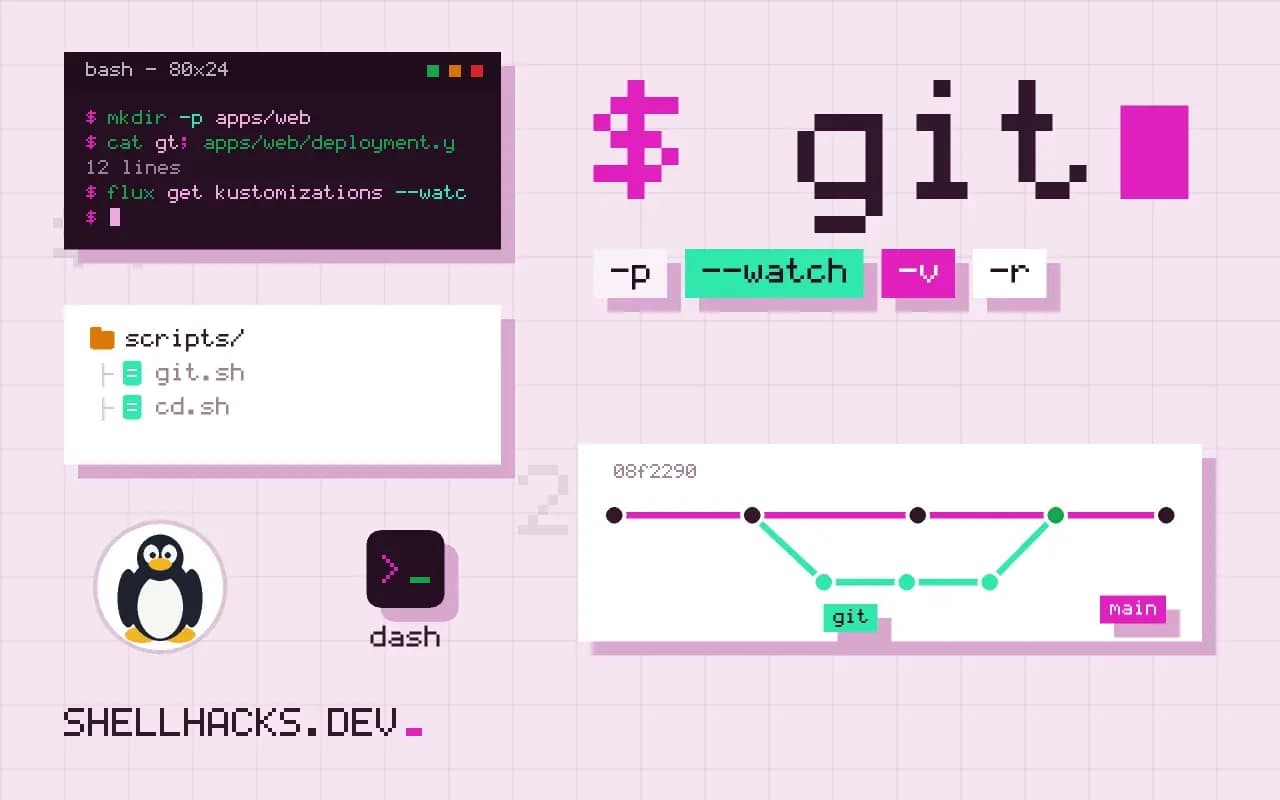
GitOps is a way of operating systems in which Git is the source of truth for what should be running. You do not run kubectl apply from your laptop; you merge a change, and something applies it. The term was coined around Kubernetes, and the ideas apply more broadly. The examples use Flux 2.4 and Kubernetes 1.31; the declarative principle ties in with idempotency.
The four ideas
The OpenGitOps principles describe GitOps as declarative, versioned and immutable, pulled automatically and continuously reconciled. In practice: the desired state is written as files, Git stores them with history, an agent pulls changes without a person pushing credentials into a cluster, and the agent keeps checking that the live system matches, correcting drift. The principles are published at opengitops.dev.
Push and pull
A conventional CI pipeline pushes: after tests, it runs kubectl apply or helm upgrade with credentials for the cluster. GitOps pulls: a controller in the cluster watches a repository and applies what it finds, so cluster credentials never leave the cluster, and a manual change to a resource is reverted on the next reconcile. The pull model also gives a tidy audit log, since "who changed production" is "who merged".
A minimal example
flux bootstrap github --owner=example --repository=fleet --path=clusters/prod --personal
git clone [email protected]:example/fleet.git && cd fleet
mkdir -p apps/web
cat > apps/web/deployment.yaml <<'YAML'
apiVersion: apps/v1
kind: Deployment
metadata: { name: web, namespace: default }
spec:
  replicas: 3
  selector: { matchLabels: { app: web } }
  template:
    metadata: { labels: { app: web } }
    spec:
      containers:
        - name: web
          image: ghcr.io/example/web:1.4.2
YAML
git add . && git commit -m "Deploy web 1.4.2" && git push
flux get kustomizations --watch
Bootstrapping installs Flux into the cluster and points it at a path in the repository. After that, a change to the image tag, merged to the main branch, is applied within the reconcile interval. Rolling back is git revert. Argo CD offers a similar model with a web interface and application definitions. Secrets need special handling, since they must not sit in Git in plain text: use sealed secrets, SOPS with age, or an external secrets operator, as in SOPS and age.
What a small team can do without a controller
The benefits that matter most are available without Kubernetes or a controller: keep configuration in a repository, review changes through pull requests, deploy only from the main branch through one pipeline, and forbid manual changes. A repository of Compose files or Ansible playbooks, with a CI job that applies them on merge, is a push-based version of the same discipline. See versioning config in a dotfiles-style repository and automating Git pull deploys.
What reconciliation does in practice
A GitOps controller runs a loop. It reads the desired state from the repository, reads the actual state from the cluster, computes the difference and applies it, then repeats on an interval or when a webhook says the repository changed. If someone edits a resource by hand, the next pass reverts it, which is called drift correction and is the property that distinguishes the approach from a pipeline that applies once. The loop also reports status: a resource that failed to apply, an image that could not be pulled, a health check that did not pass. Those statuses show up in the controller's own custom resources and can be sent to chat or a dashboard, so the answer to "is what's in Git running" is visible without logging in to the cluster.
The effect on rollbacks is large. A rollback is a revert commit, reviewed and recorded like any change, and the controller applies it. The audit trail of who changed what and when is the Git history, and the approval process is the pull request review. Teams that adopt the approach often find the change in process matters as much as the tooling: fewer people hold cluster credentials, and fewer changes happen outside review.
Repository layout choices
There are two usual layouts. A monorepo holds application code and its deployment manifests together, which is simple for one team, and mixes release cadence of code with configuration changes. A separate configuration repository, often called the fleet or environment repository, holds only the manifests for one or more clusters, so deployment changes have their own history and permissions. Within it, directories per environment, such as staging and production, share a base through Kustomize overlays or Helm values files. Promotion from staging to production is then a pull request that copies a version number or an image digest from one directory to the other, which is easy to review and to revert. Automation can open that pull request when an image is published, leaving only the approval to a person.
Secrets and sensitive values
Git is the source of truth, but secrets cannot be stored there in plain text. Common answers are to encrypt them in the repository with a tool such as SOPS, using keys held by the cluster, to use Sealed Secrets which store a value only the cluster's controller can decrypt, or to keep the secrets in an external manager and have the cluster fetch them through an operator that creates the Kubernetes secrets from references in Git. Each keeps the references reviewable and the values out of history. Pick one early, since adding it later means rewriting manifests, and rotate the encryption keys on a schedule.
Adoption steps for a small team
Start with one non-critical application. Put its manifests in a repository, install the controller in a test cluster, point it at the path, and make the next three changes only through pull requests. Then turn on automatic pruning, so resources deleted from Git are removed from the cluster, after you are confident that the repository holds everything that should run. Disable direct write access for people to that namespace, with exceptions for emergencies that are recorded and followed by a commit. Measure what improves: time to roll back, number of changes without review, and drift incidents. If the numbers do not move, reconsider whether the extra moving part is paying for itself.
Failure modes
The controller becomes a critical dependency. If it is down, changes do not apply, though running workloads continue. If the repository is unreachable, the controller keeps the last known state. A bad commit can break many resources at once, which is why pre-merge validation with kubeconform, policy checks and a staging cluster belong in the pull request pipeline. A controller with broad rights is also a target, so scope its permissions to the namespaces it manages, protect the repository with branch rules and signed commits, and monitor the controller's own health.
What a manifest change looks like
In practice, a release is a small edit to a file in the repository. The change below bumps the image tag of one deployment, and once the pull request is merged the controller applies it.
spec:
  template:
    spec:
      containers:
        - name: web
          image: ghcr.io/example/web:1.4.2   # was 1.4.1
The diff is the review artifact: it shows exactly what will change in the cluster, and reverting the commit is the rollback.
Where this does not apply
A controller is another system to run, upgrade and debug, and its error messages are a learning curve. For a few servers that change monthly, a Makefile and a script cover the need, as in Makefile deploy targets. GitOps also does not solve ordering of database migrations, secrets or anything outside the declared resources, and drift detection only works for what the controller manages. Read the Flux concepts and Argo CD documentation before choosing.