How to Tag and Version Docker Images in Real Scripts
Tag Docker images in scripts with SHAs and semantic versions, avoid latest in production, and pin base images by digest for repeatable builds.
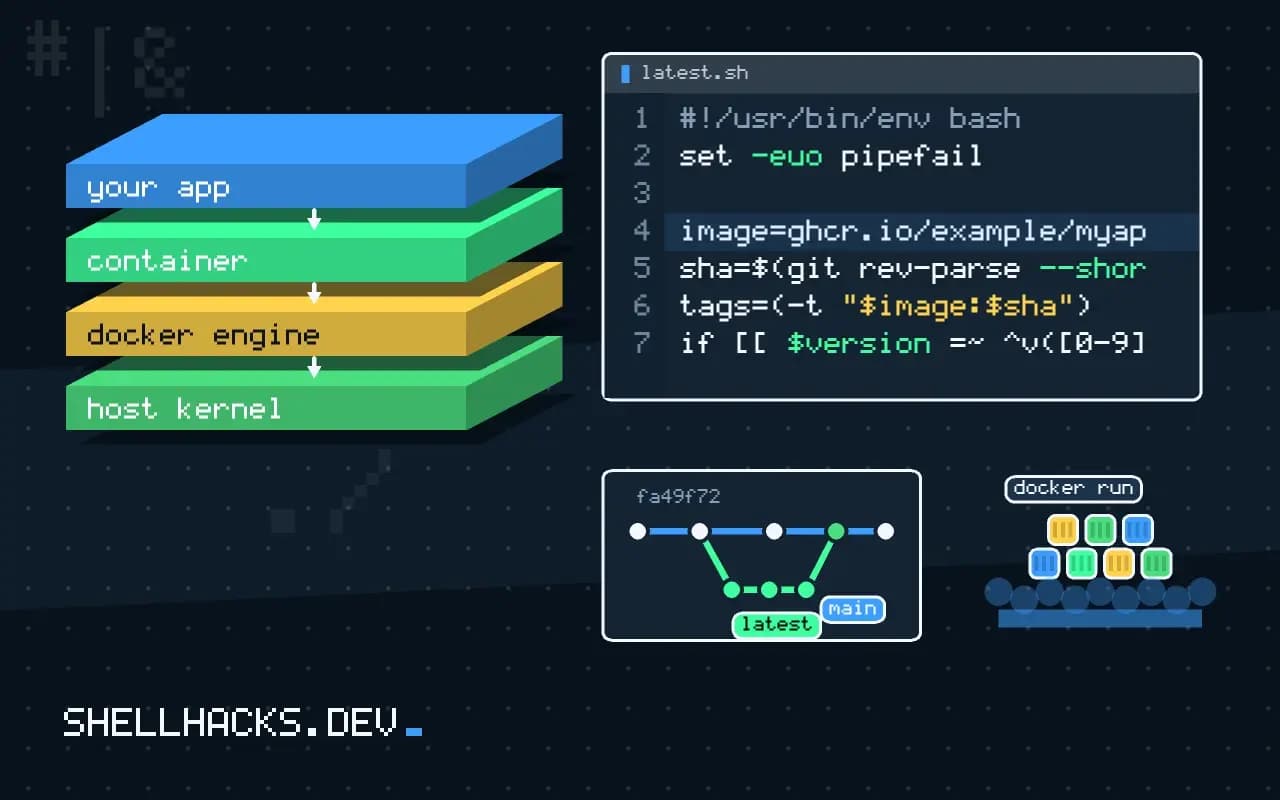
An image tag is just a label that can point to different content tomorrow. myapp:latest means "whatever was pushed last", which makes a rollback impossible to reason about. A tagging scheme that mixes immutable and moving tags solves that, and a short script keeps it consistent. The commands use Docker Engine 27 with BuildKit and Bash 5.2; where to push the result is in pushing to Docker Hub and GitHub.
One script for every pipeline
#!/usr/bin/env bash
set -euo pipefail

image=ghcr.io/example/myapp
sha=$(git rev-parse --short=12 HEAD)
version=$(git describe --tags --exact-match 2>/dev/null || true)   # e.g. v1.4.2 on a release commit

tags=(-t "$image:$sha")
if [[ $version =~ ^v([0-9]+)\.([0-9]+)\.([0-9]+)$ ]]; then
  major=${BASH_REMATCH[1]} minor=${BASH_REMATCH[2]} patch=${BASH_REMATCH[3]}
  tags+=(-t "$image:$major.$minor.$patch" -t "$image:$major.$minor" -t "$image:$major" -t "$image:latest")
fi

docker buildx build "${tags[@]}" --push .
Every commit gets a SHA tag, which is unique and traceable to the source. A release commit, marked with a Git tag such as v1.4.2, also gets the full version, the minor line, the major line and latest. The array keeps each -t pair intact, which is why arrays are used, see Bash arrays. The regex capture groups are explained in BASH_REMATCH.
Which tags to deploy
Deploy by the SHA tag or the digest, and let the moving tags serve people: 1.4 follows patch releases for those who want fixes, and latest is for a quick trial. A production manifest that says myapp:latest cannot be rolled back with a redeploy, because the previous image has no name any more. Record the deployed digest with docker inspect -f '{{index .RepoDigests 0}}' myapp:1.4.2, as in docker inspect formatting.
Digests for exact content
docker buildx imagetools inspect ghcr.io/example/myapp:1.4.2 | head -3
docker pull ghcr.io/example/myapp@sha256:4f6c2a9e...Name: ghcr.io/example/myapp:1.4.2
MediaType: application/vnd.oci.image.index.v1+json
Digest: sha256:4f6c2a9e0b1d...
A digest is a hash of the image manifest, so it cannot change without becoming a different digest. Pinning a base image in a Dockerfile as FROM debian:12-slim@sha256:... makes builds repeatable, at the cost of missing security fixes until you update the pin. Automate that with a dependency bot instead of doing it by hand, and rebuild regularly so patches arrive, as covered in scanning images for vulnerabilities.
Do not forget the labels
LABEL org.opencontainers.image.source="https://github.com/example/myapp" \
      org.opencontainers.image.revision="${GIT_SHA}" \
      org.opencontainers.image.version="${VERSION}"
The OCI annotations record where an image came from, which makes a mystery container in production traceable to a commit. Pass the values as build arguments.
What a tag actually is
A tag is a mutable pointer from a name to a manifest digest, stored by the registry. Pushing myapp:1.4 twice moves the pointer to the second image and leaves the first reachable only by its digest, or not at all once the registry cleans up untagged manifests. Nothing in the Docker client prevents this, and that freedom is the cause of the usual production surprises: a node that pulled the tag on Monday runs different code from a node that pulled it on Wednesday, with the same name on both. The scheme in the script avoids that by giving every build a name that is never reused, the commit hash, and treating the friendlier names as pointers that the pipeline moves on purpose.
Pull policy interacts with this. A Kubernetes pod with imagePullPolicy: IfNotPresent and a moving tag keeps whatever image the node cached, while Always checks the registry on every start. Neither is wrong, but a deployment that relies on a moving tag has behaviour that depends on node history. Deploying by SHA or digest removes the variable.
Semantic version tags and the lines they follow
For a released version, publish three names from the same image: the full version 1.4.2, the minor line 1.4 and the major line 1. Consumers choose how much change they accept. Pinning 1.4.2 never changes, 1.4 receives patch fixes, and 1 receives minor releases too. The lines move only when a release is cut, never on a plain commit, and the pipeline should refuse to move a line backwards, for example when a patch to the old 1.3 branch is released after 1.4 exists. Compare versions with sort -V in the script before moving latest, so a late patch release cannot take it back to an older line.
Pre-release builds deserve their own convention: 1.5.0-rc.1 is a valid tag, and it must not move latest or the minor line. A branch build can use a name like main or pr-1234, which expires, and a cleanup job should delete those after a few weeks.
Multi-architecture images
When an image is built for several platforms, the tag points to an index, a list of per-platform manifests, and the client picks the one for its architecture. Build and push them together with docker buildx build --platform linux/amd64,linux/arm64 --push. Pushing each architecture under its own suffix and stitching them later works but doubles the tags to manage. Inspect the result with docker buildx imagetools inspect, which lists each platform and its digest, and confirm that the arm64 entry is there before announcing a release, because a missing platform shows up as "no matching manifest" on the first Apple silicon or Graviton machine to pull.
Retention and cleanup
Registries charge for storage, and a SHA tag per commit builds up quickly. Define the retention rule alongside the tagging rule: keep every release tag for good, keep the last N SHA tags, and delete branch tags after a period. Most hosted registries support lifecycle policies that express these rules, and a policy that matches tag patterns is safer than a script, since it runs inside the service. Before deleting anything, check that no running deployment refers to the digest, which a listing of the images in use on each cluster answers. Deleting the image behind a running service makes the next restart fail, often at the worst time.
Signing closes the loop for supply chain concerns. Tools such as cosign attach a signature to the digest, and an admission policy can reject any image without one. Because the signature is tied to the digest, it works with the immutable naming above and not with moving tags.
A release checklist
Before tagging a release, confirm four things. The image built from the tagged commit passed the same tests as the commit. The version label inside the image matches the tag. The new tags point at the digest that was tested, which docker buildx imagetools inspect confirms for each name. And the previous release is still available under its full version, so a rollback is a redeploy and not a rebuild. Write these into the pipeline as steps that fail the job, since a checklist that depends on memory is skipped on the day it matters.
Where this does not apply
Registries can allow tags to be overwritten, so an "immutable" tag is only immutable if the registry is configured to enforce it; Docker Hub, GHCR and ECR have settings for it. For a single-developer project that deploys by hand, a simple version tag may be enough. Multi-architecture images are a manifest list with one digest and several per-platform ones, so be careful which digest you pin. Specifications are in the OCI annotations specification and Semantic Versioning.